Arduino DHT11 Temperature & Humidity Sensor — Complete Tutorial
Read temperature and humidity with a DHT11 sensor and Arduino. Complete wiring diagram, working code, library installation, and troubleshooting for Arduino Uno and Nano.
Windows 10 और 11 के लिए Proteus 8.13 Professional मुफ्त डाउनलोड करें। Arduino के पूर्ण समर्थन के साथ इलेक्ट्रॉनिक सर्किट सिमुलेशन सॉफ्टवेयर। सभी लाइब्रेरी और कंपोनेंट शामिल हैं।
Proteus 8 Professional बाजार में सबसे संपूर्ण इलेक्ट्रॉनिक सर्किट सिमुलेशन टूल है। Windows 10 और Windows 11 के साथ संगत, इस संस्करण में पेशेवर सर्किट और PCB डिजाइन के लिए सभी सुविधाएं शामिल हैं।
संस्करण 8.13 में प्रदर्शन में महत्वपूर्ण सुधार, विस्तारित कंपोनेंट लाइब्रेरी, Arduino और आधुनिक माइक्रोकंट्रोलर के लिए बेहतर समर्थन, और शुरुआती और पेशेवरों के लिए अधिक सहज इंटरफेस है।
Proteus 8 Professional Windows 7, Windows 8, Windows 10 और Windows 11 (32 और 64 बिट) के साथ संगत है।
इष्टतम प्रदर्शन के लिए Intel Core i3 2 GHz या उच्चतर, या समकक्ष AMD प्रोसेसर की सिफारिश की जाती है।
न्यूनतम 4 GB RAM (जटिल परियोजनाओं और व्यापक सिमुलेशन के लिए 8 GB की सिफारिश)।
सभी लाइब्रेरी के साथ पूर्ण इंस्टॉलेशन के लिए कम से कम 2 GB मुक्त डिस्क स्थान आवश्यक है।
3D PCB विज़ुअलाइज़ेशन के लिए DirectX 9.0c या उच्चतर संगत ग्राफिक्स कार्ड।
सभी सुविधाओं के साथ नवीनतम संस्करण
सभी आवश्यक सुविधाओं के साथ स्थिर संस्करण
पेशेवर इलेक्ट्रॉनिक डिज़ाइन के लिए पूर्ण सुइट
proteus.exe को व्यवस्थापक के रूप में चलाएं
इंस्टॉलेशन भाषा चुनें (अंग्रेजी अनुशंसित)
लाइसेंस नियम और शर्तें स्वीकार करें
इंस्टॉलेशन फ़ोल्डर चुनें (डिफ़ॉल्ट ठीक है)
इंस्टॉलेशन पूरा होने की प्रतीक्षा करें
पहली बार Proteus को व्यवस्थापक के रूप में चलाएं
तैयार! अब आप Proteus 8 Professional का उपयोग कर सकते हैं
Proteus 8 के डाउनलोड, इंस्टॉलेशन और उपयोग के बारे में सबसे सामान्य प्रश्नों के उत्तर खोजें।

Read temperature and humidity with a DHT11 sensor and Arduino. Complete wiring diagram, working code, library installation, and troubleshooting for Arduino Uno and Nano.

Connect a 16x2 LCD display to Arduino using only 2 wires with an I2C adapter. Complete wiring, library install, working code, and how to find your I2C address (0x27 or 0x3F).

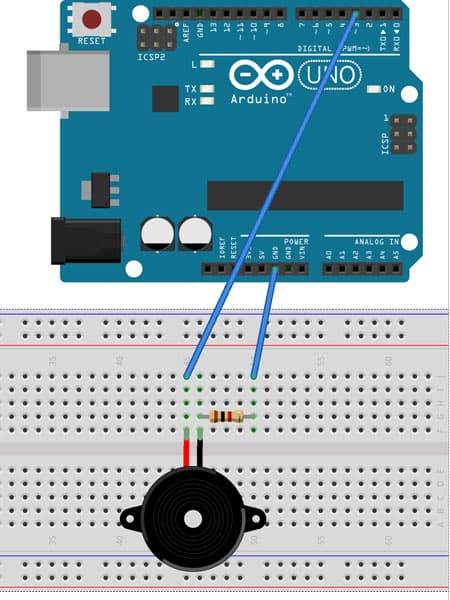
Play the Super Mario Bros theme on Arduino with a passive buzzer. Complete working code, wiring diagram, and troubleshooting. Copy-paste ready in 5 minutes.

Arduino Nano vs Uno: complete comparison of specs, size, pins, price, and use cases. Both use the ATmega328P — the key differences are form factor and USB connector.

Detect motion with a PIR sensor and Arduino. Complete wiring for HC-SR501, working code, sensitivity adjustment, and projects including alarm, automatic light, and intruder detector.

Control 110V/220V AC devices with Arduino using a relay module. Complete wiring for 1, 2, and 4-channel relay boards, working code, and safety notes for mains voltage.